2025.04.11
方法引用
一、方法引用概述
1.1 概述
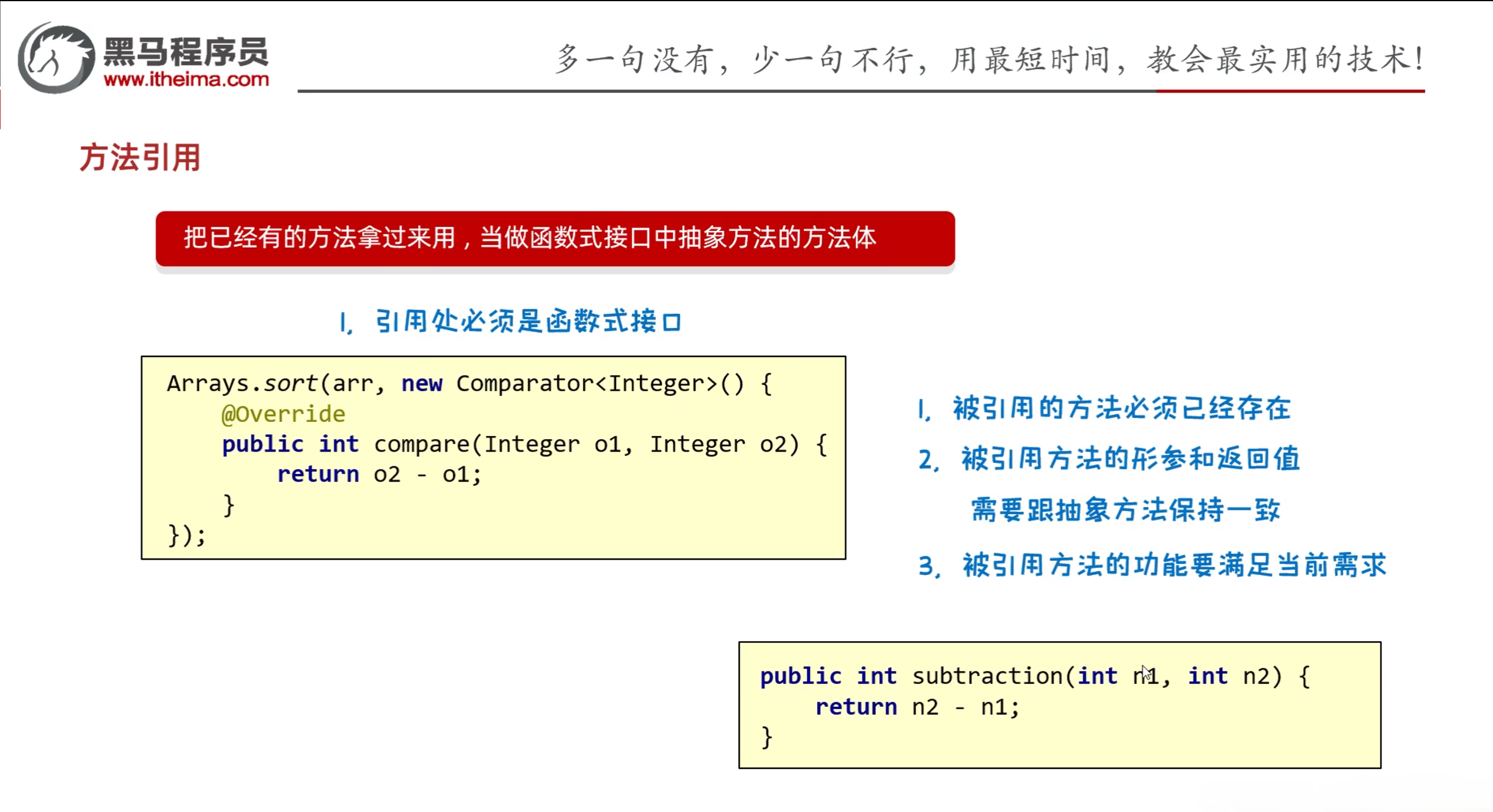
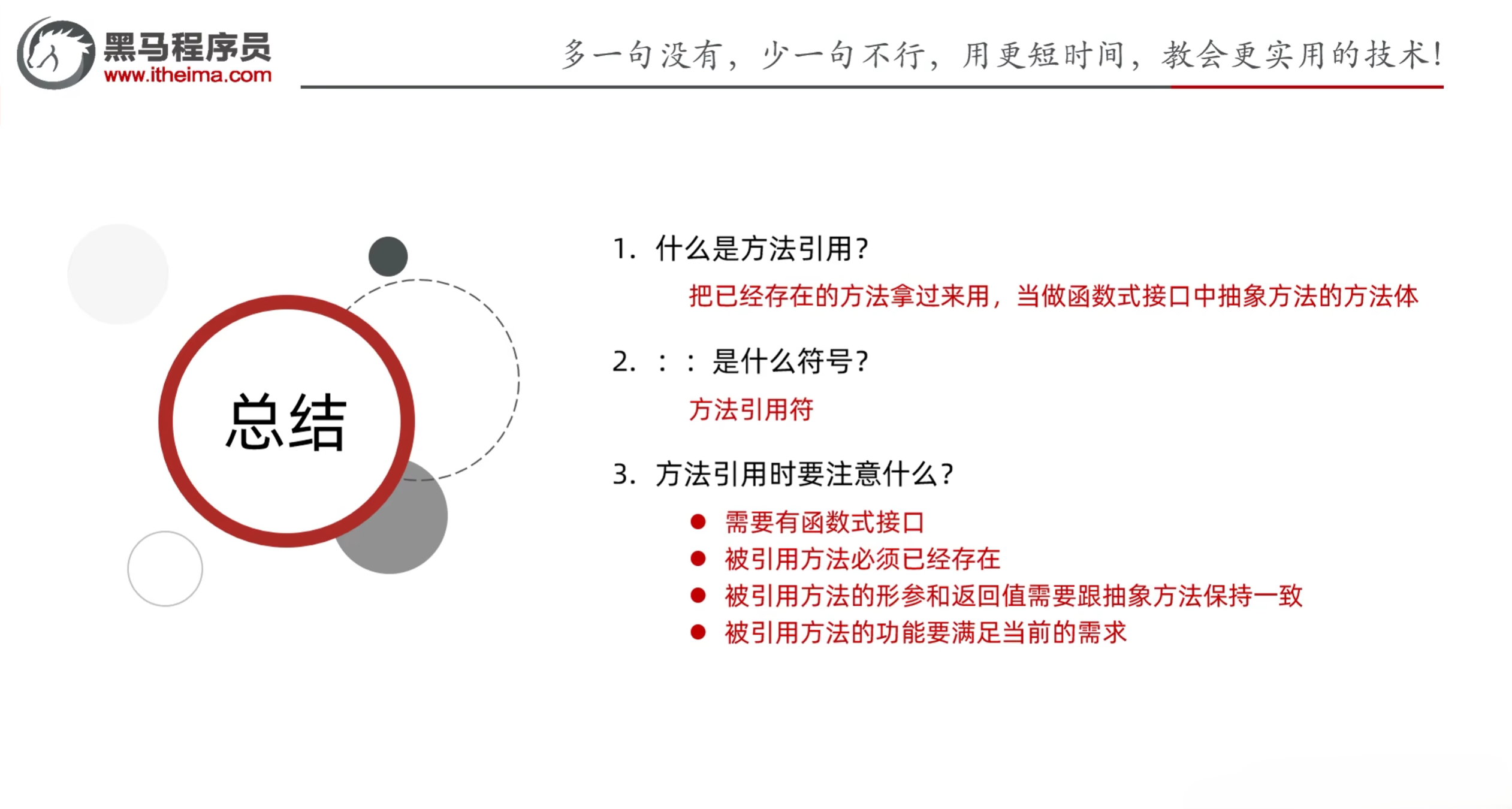
- 方法引用:就是把已经有的方法拿过来用,当做函数式接口中抽象方法的方法体
- 注意点:
- 引用处必须是函数式接口
- 被引用的方法必须已经存在
- 被引用的方法的形参和返回值需要跟抽象方法保持一致
- 被引用方法的功能要满足当前要求
1.2 代码演示
1
2
3
4
5
6
7
8
9
10
11
12
13
14
15
16
17
18
19
20
21
22
23
24
25
26
27
28
29
30
31
32
33
34
35
36
37
| import java.util.Arrays;
import java.util.Comparator;
public class FunctionDemo1 {
public static void main(String[] args) {
Integer[] arr = {3, 5, 1, 4, 2, 6};
Arrays.sort(arr, new Comparator<Integer>() {
@Override
public int compare(Integer o1, Integer o2) {
return o2 - o1;
}
});
Arrays.sort(arr, (Integer o1, Integer o2) -> {
return o2 - o1;
});
Arrays.sort(arr, (o1, o2) -> o1 - o2);
Arrays.sort(arr, FunctionDemo1::subtraction);
System.out.println(Arrays.toString(arr));
}
public static int subtraction(int a, int b) {
return b - a;
}
}
|
二、方法引用的分类
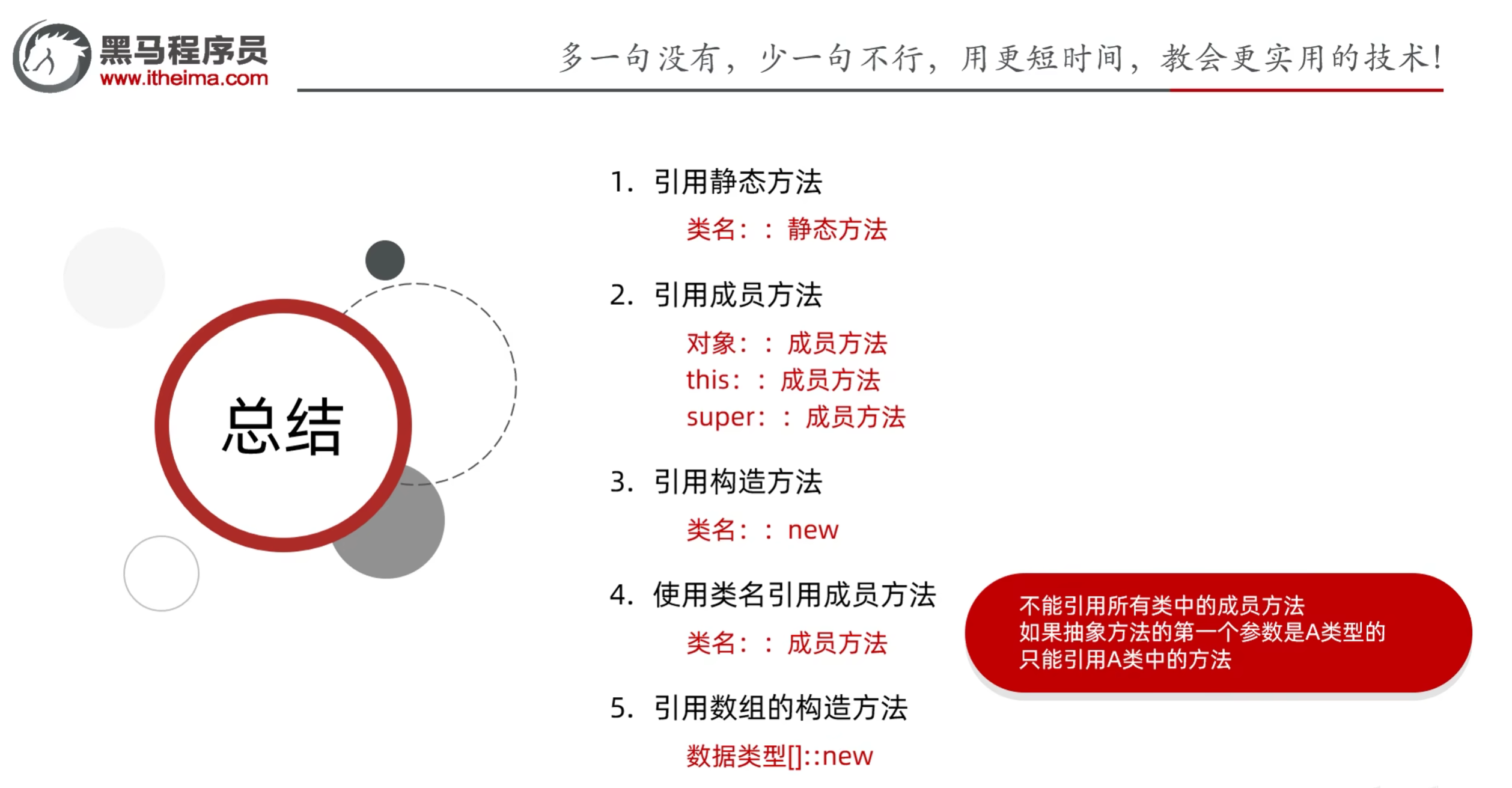
- 方法引用的分类:
- 引用静态方法
- 引用成员方法
- 引用其他类的成员方法
- 引用本类的成员方法
- 引用父类的成员方法
- 引用构造方法
- 其他调用方式
2.1 引用静态方法
- 格式:类名::静态方法
- 范例:Integer::parseInt
练习:
集合中有以下数字,要求把他们全变成int类型
“1” “2” “3” “4” “5”
1
2
3
4
5
6
7
8
9
10
11
12
13
14
15
16
17
18
19
20
21
22
23
24
25
26
27
28
29
30
| import java.util.ArrayList;
import java.util.Collections;
import java.util.function.Function;
public class FunctionDemo2 {
public static void main(String[] args) {
ArrayList<String> list = new ArrayList<>();
Collections.addAll(list, "1", "2", "3", "4", "5");
list.stream().map(Integer::parseInt).forEach(s-> System.out.println(s));
}
}
|
2.2 引用成员方法
- 格式:对象::成员方法
- 其他类:其他类对象::方法名
- 本类:this::方法名(引用处不能是静态方法)
- 父类:super::方法名(引用处不能是静态方法)
练习1:
集合中有一些名字,按照要求过滤数据
1
2
3
4
5
6
7
8
9
10
11
12
13
14
15
16
17
18
19
20
21
22
23
24
25
26
27
28
29
30
31
32
33
34
35
36
37
38
39
40
41
42
| import java.util.ArrayList;
import java.util.Collections;
import java.util.function.Predicate;
public class FunctionDemo3 {
public static void main(String[] args) {
ArrayList<String> list = new ArrayList<>();
Collections.addAll(list, "张无忌", "周芷若", "赵敏", "张强", "张三丰");
list.stream()
.filter(new FunctionDemo3()::stringJudge)
.forEach(s-> System.out.println(s));
}
public boolean stringJudge(String str) {
return str.startsWith("张") && str.length() == 3;
}
}
|
练习2:
GUI界面中点击事件的方法引用写法
1
2
3
4
5
6
7
8
9
10
11
|
import javax.swing.*;
import java.awt.event.ActionEvent;
public class MyJFrame extends JFrame {
public void method1(ActionEvent e) {
System.out.println("go按钮被点击了");
}
}
|
1
2
3
4
5
6
7
8
9
10
11
12
13
14
15
16
17
18
19
20
21
22
23
24
25
26
27
28
29
30
31
32
33
34
35
36
37
38
39
40
41
42
43
44
45
46
47
48
49
50
51
52
53
54
55
56
57
58
59
60
61
62
63
|
import javax.swing.*;
import java.awt.*;
public class LoginJFrame extends MyJFrame {
JButton go = new JButton("Go");
public LoginJFrame() {
setIconImage(Toolkit.getDefaultToolkit().getImage("myfunction\\image\\logo.jpg"));
initJframe();
initView();
this.setVisible(true);
}
public void initView() {
JLabel image = new JLabel(new ImageIcon("myfunction\\image\\kit.jpg"));
image.setBounds(100,50,174,174);
this.getContentPane().add(image);
go.setFont(new Font(null,1,20));
go.setBounds(120,274,150,50);
go.setBackground(Color.WHITE);
go.addActionListener(super::method1);
this.getContentPane().add(go);
}
public void initJframe() {
this.setTitle("随机点名器");
this.setSize(400, 500);
this.setDefaultCloseOperation(JFrame.EXIT_ON_CLOSE);
this.setResizable(false);
this.setLocationRelativeTo(null);
this.setLayout(null);
this.getContentPane().setBackground(Color.white);
this.setAlwaysOnTop(true);
}
}
|
2.3 引用构造方法
- 格式:类名::new
- 范例:Student::new
练习:
集合里面存储姓名和年龄,比如:张无忌,15
要求:将数据封装成Student对象并收集到List集合中
1
2
3
4
5
6
7
8
9
10
11
12
13
14
15
16
17
18
19
20
21
22
23
24
25
26
27
28
29
30
31
32
33
34
35
36
37
38
39
40
41
42
43
44
45
46
47
48
49
50
51
52
53
54
55
56
57
| public class Student {
private String name;
private int age;
public Student() {
}
public Student(String s) {
String[] arr = s.split(",");
this.name = arr[0];
this.age = Integer.parseInt(arr[1]);
}
public Student(String name, int age) {
this.name = name;
this.age = age;
}
public String getName() {
return name;
}
public void setName(String name) {
this.name = name;
}
public int getAge() {
return age;
}
public void setAge(int age) {
this.age = age;
}
public String toString() {
return "Student{name = " + name + ", age = " + age + "}";
}
}
|
1
2
3
4
5
6
7
8
9
10
11
12
13
14
15
16
17
18
19
20
21
22
23
24
25
26
27
28
29
30
| import java.util.ArrayList;
import java.util.Collections;
import java.util.function.Function;
import java.util.stream.Collectors;
public class FunctionDemo4 {
public static void main(String[] args) {
ArrayList<String> list = new ArrayList<>();
Collections.addAll(list, "张无忌,15", "周芷若,14", "赵敏,13", "张强,20", "张三丰,100");
list.stream()
.map(Student::new)
.collect(Collectors.toList());
System.out.println(list);
}
}
|
2.4 使用类名引用成员方法
- 格式:类名::成员方法
- 范例:String::substring
- 方法引用的规则:
- 需要有函数式接口
- 被引用的方法必须已经存在
- 被引用的方法的形参,需要跟抽象方法的第二个形参到最后一个形参保持一致,返回只需要保持一致
- 被引用方法的功能需要满足当前的需求
- 抽象方法形参的详解:
- 第一个参数:
- 表示被引用方法的调用者,决定了可以引用哪些类中的方法
- 在Stream流当中,第一个参数一般都表示流里面的每一个数据
- 假设流里面的数据都是字符串,那么使用这种方法进行引用时,智只能引用String这个类中的方法
- 第二个参数到最后一个参数:
- 跟被引用方法的形参保持一致,如果没有第二个参数,说明被引用的方法需要是无参的成员方法
- 局限性:
- 不能引用所有类中的成员方法
- 是跟抽象方法的第一个参数有关,这个参数是什么类型的,那么就只能引用这个类中的方法
练习:
集合里面一些字符串,要求变成大写后进行输出
1
2
3
4
5
6
7
8
9
10
11
12
13
14
15
16
17
18
19
20
21
22
| import java.util.ArrayList;
import java.util.Collections;
import java.util.function.Function;
public class FunctionDemo5 {
public static void main(String[] args) {
ArrayList<String> list = new ArrayList<>();
Collections.addAll(list, "aaa", "bbb", "ccc", "ddd");
list.stream().map(String::toUpperCase).forEach(s-> System.out.println(s));
}
}
|
2.5 使用数组的构造方法
- 格式:数据类型[]::new
- 范例:int[]::new
- 细节:数组的类型需要跟流中数据的类型保持一致
练习:
集合中存储一些整数,收集到数组当中
1
2
3
4
5
6
7
8
9
10
11
12
13
14
15
16
17
18
19
20
21
22
23
24
| import java.util.ArrayList;
import java.util.Collections;
import java.util.function.IntFunction;
public class FunctionDemo6 {
public static void main(String[] args) {
ArrayList<Integer> list = new ArrayList<Integer>();
Collections.addAll(list, 1, 2, 3, 4, 5);
list.stream().toArray(Integer[]::new);
System.out.println(list);
}
}
|
2.6 总结
使用方法引用技巧:
- 现在有没有一个方法符合我当前的需求
- 如果有这样的方法,这个方法是否满足引用的规则
三、练习
3.1 练习一
- 集合中存储一些字符串数据,比如:张三,23
- 收集到Student类型的数组中(使用方法引用完成)
1
2
3
4
5
6
7
8
9
10
11
12
13
14
15
16
17
18
19
20
21
22
23
24
25
26
27
28
29
30
31
32
33
34
35
36
37
38
39
40
41
42
43
44
45
46
47
48
49
50
51
52
53
54
55
| public class Student {
private String name;
private int age;
public Student() {
}
public Student(String s) {
this.name = s.split(",")[0];
this.age = Integer.parseInt(s.split(",")[1]);
}
public Student(String name, int age) {
this.name = name;
this.age = age;
}
public String getName() {
return name;
}
public void setName(String name) {
this.name = name;
}
public int getAge() {
return age;
}
public void setAge(int age) {
this.age = age;
}
public String toString() {
return "Student{name = " + name + ", age = " + age + "}";
}
}
|
1
2
3
4
5
6
7
8
9
10
11
12
13
14
15
16
17
18
| import java.util.ArrayList;
import java.util.Arrays;
import java.util.Collections;
import java.util.function.Function;
import java.util.function.IntFunction;
public class Main {
public static void main(String[] args) {
ArrayList<String> list = new ArrayList<>();
Collections.addAll(list, "张三,23", "李四,24", "王五,25");
Student[] arr = list.stream().map(Student::new).toArray(Student[]::new);
System.out.println(Arrays.toString(arr));
}
}
|
3.2 练习二
- 创建集合添加学生对象,学生对象属性:name, age
- 只获取姓名并放到数组当中(使用方法引用完成)
1
2
3
4
5
6
7
8
9
10
11
12
13
14
15
16
17
18
19
20
21
22
23
24
25
26
27
28
29
30
31
32
33
34
35
36
37
38
39
40
41
42
43
44
45
46
47
48
49
| public class Student {
private String name;
private int age;
public Student() {
}
public Student(String name, int age) {
this.name = name;
this.age = age;
}
public String getName() {
return name;
}
public void setName(String name) {
this.name = name;
}
public int getAge() {
return age;
}
public void setAge(int age) {
this.age = age;
}
public String toString() {
return "Student{name = " + name + ", age = " + age + "}";
}
}
|
1
2
3
4
5
6
7
8
9
10
11
12
13
14
15
16
17
18
19
20
21
22
23
24
25
26
27
28
| import java.util.ArrayList;
import java.util.Arrays;
import java.util.List;
import java.util.function.Function;
public class Main {
public static void main(String[] args) {
ArrayList<Student> students = new ArrayList<Student>();
students.add(new Student("John", 18));
students.add(new Student("Jane", 17));
students.add(new Student("Jack", 18));
String[] arr = students.stream()
.map(Student::getName).toArray(String[]::new);
System.out.println(Arrays.toString(arr));
}
}
|
参考资料:
[1] 黑马程序员Java零基础视频教程_下部